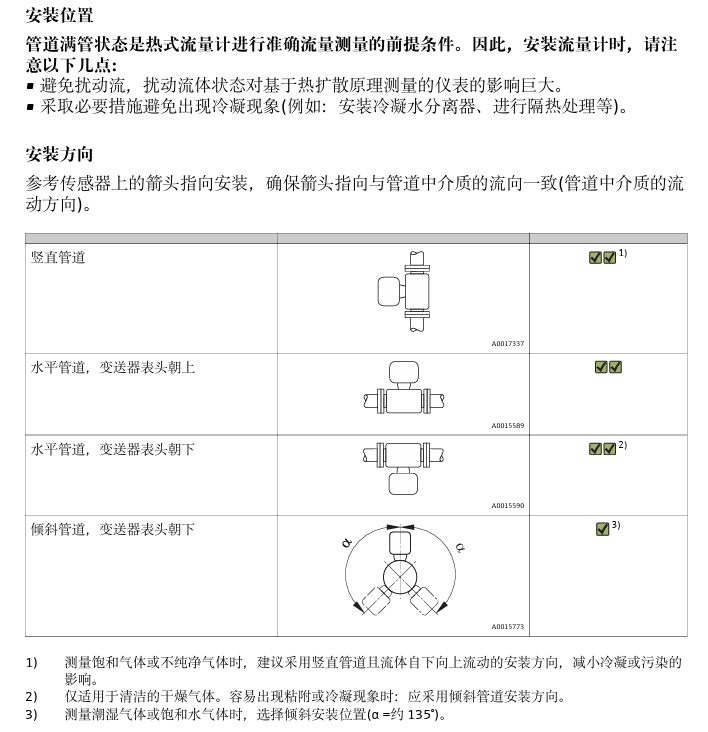
1. Installation position
2. Power requirements: mainly see the voltage marked on the nameplate.
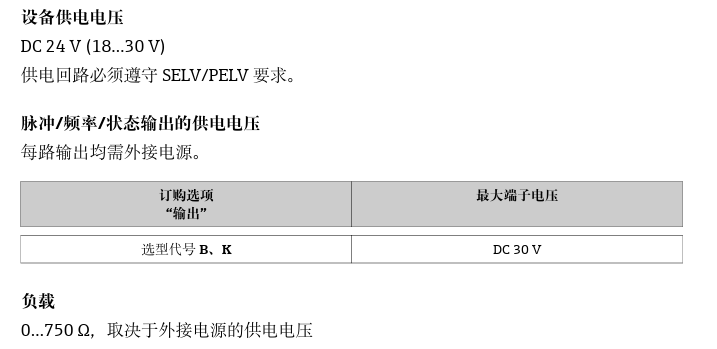
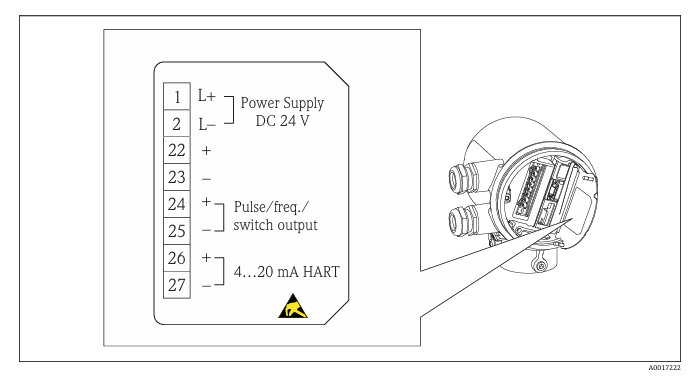
2.1 terminal assignment
terminal is located on the nameplate of the electronic module.
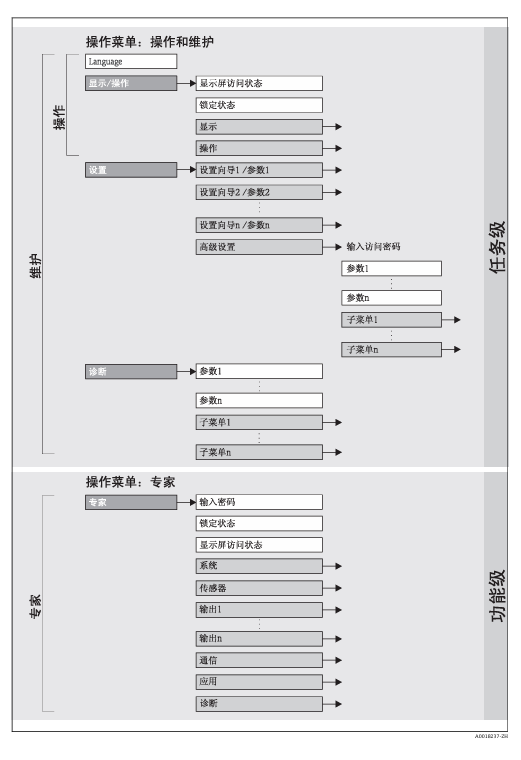
3. Operation menu
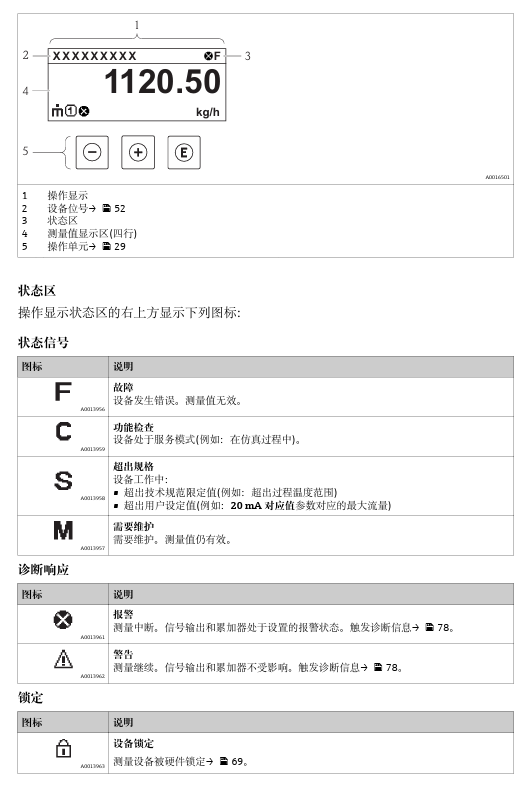
3.1 operation display
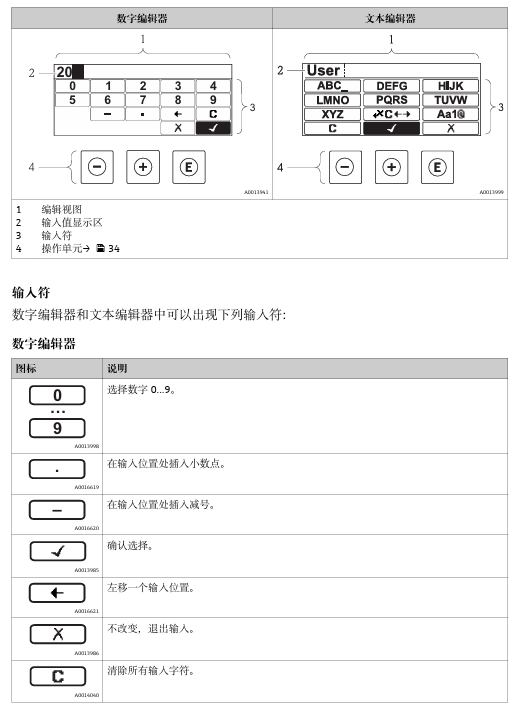
3.2 editing diagram
4. Debugging
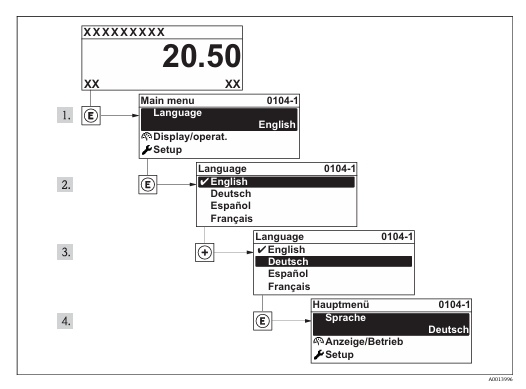
4.1 Settings Operating Language: Factory Settings: English or local language ordered
4.2 setting measuring equipment:setup menu and its setup wizard.
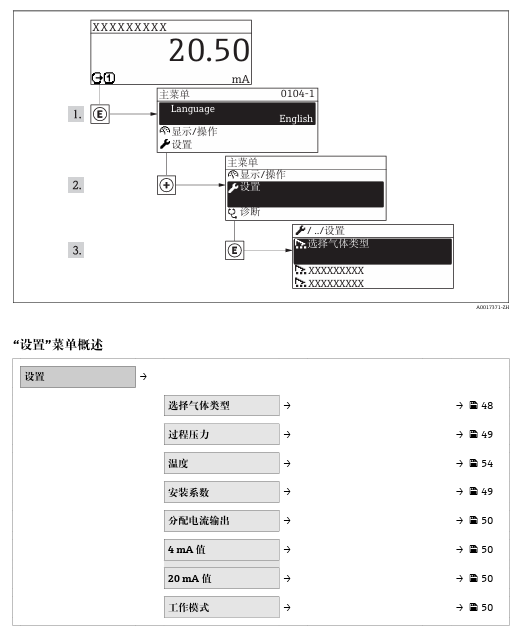
4.3 Select Gas Type
menu path Settings menu & rarr; Select gas type
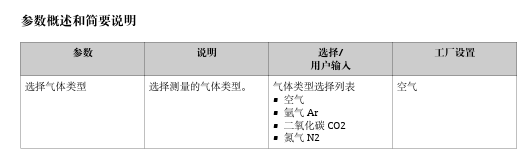
4.4 Set Process Pressure
Settings menu & rarr; Process Pressure
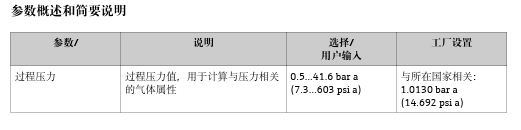
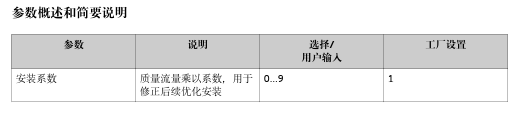
4.5 to determine the installation factor
menu path Settings menu & rarr; Install Factor
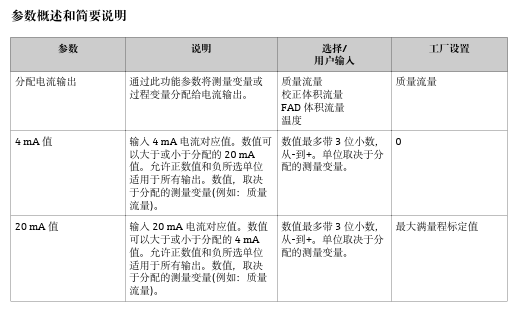
4.6 Set Current Output
menu path "Settings" menu & rarr; Assign current output "Settings" menu & rarr;4 mA value "Settings" menu & rarr;20 mA value
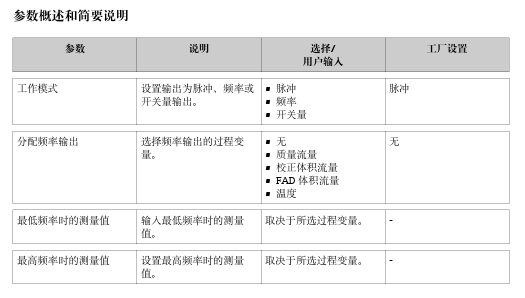
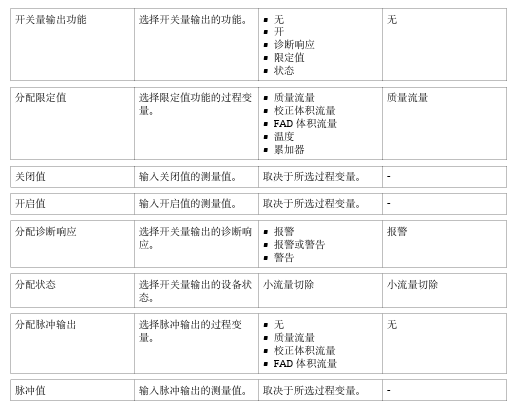
4.7 setting pulse/frequency/switch output
menu path • Settings menu & rarr; Operating mode • Settings menu & rarr; Assign frequency output • Settings menu & rarr; Switching output function • Settings menu & rarr; Assign pulse output.