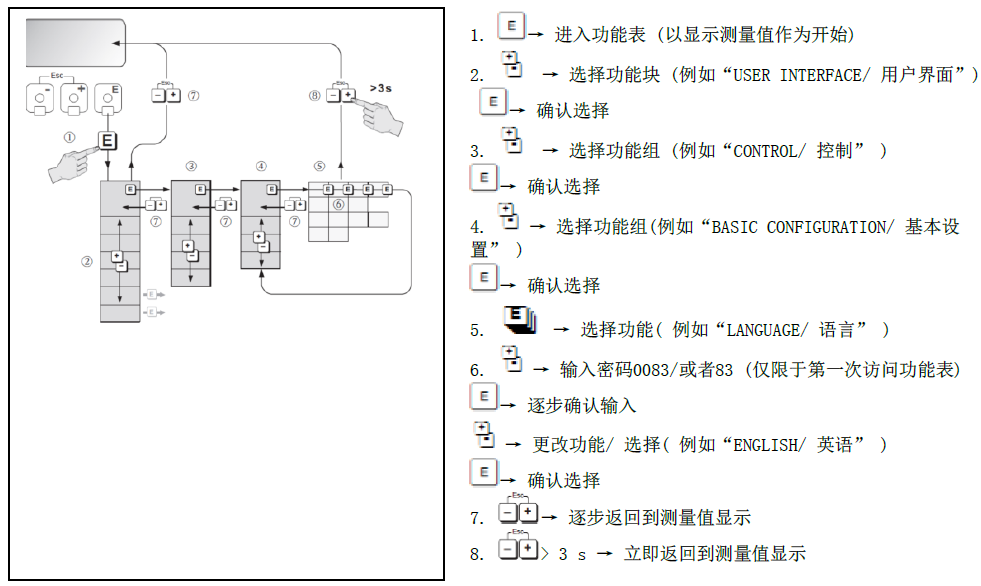
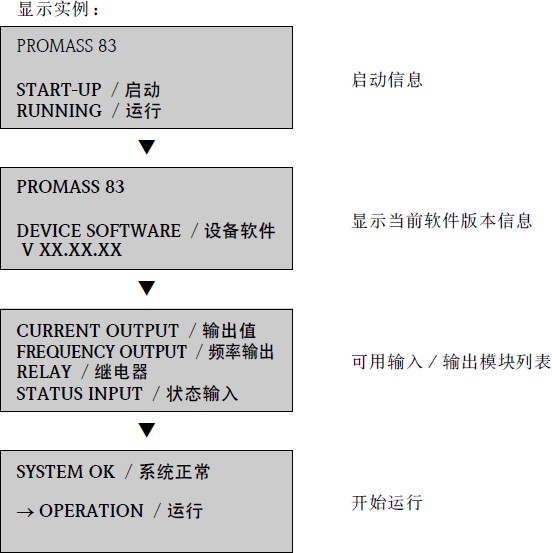
1.83series mass flow meter start display and photosensitive touch key operation instructions
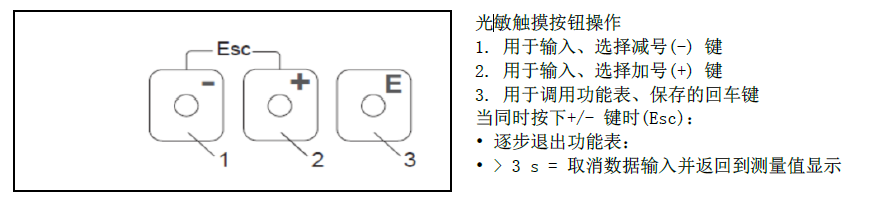
photosensitive touch button operation
1. Used to enter and select the minus (-) key. 2. Use to enter and select the plus sign () key. 3. Enter key for calling the function table and saving. When the/-key is pressed at the same time (Esc):(1) Step out of the function table. (2)> 3 s = cancel data input and return to measured value display